Find the right sources with citation maps and AI recommendations
Discover papers by relationship, not just keywords: read a citation map, snowball outward through citation-graph related papers, and let AI flag which results you would actually cite (with a groundability tier on each).
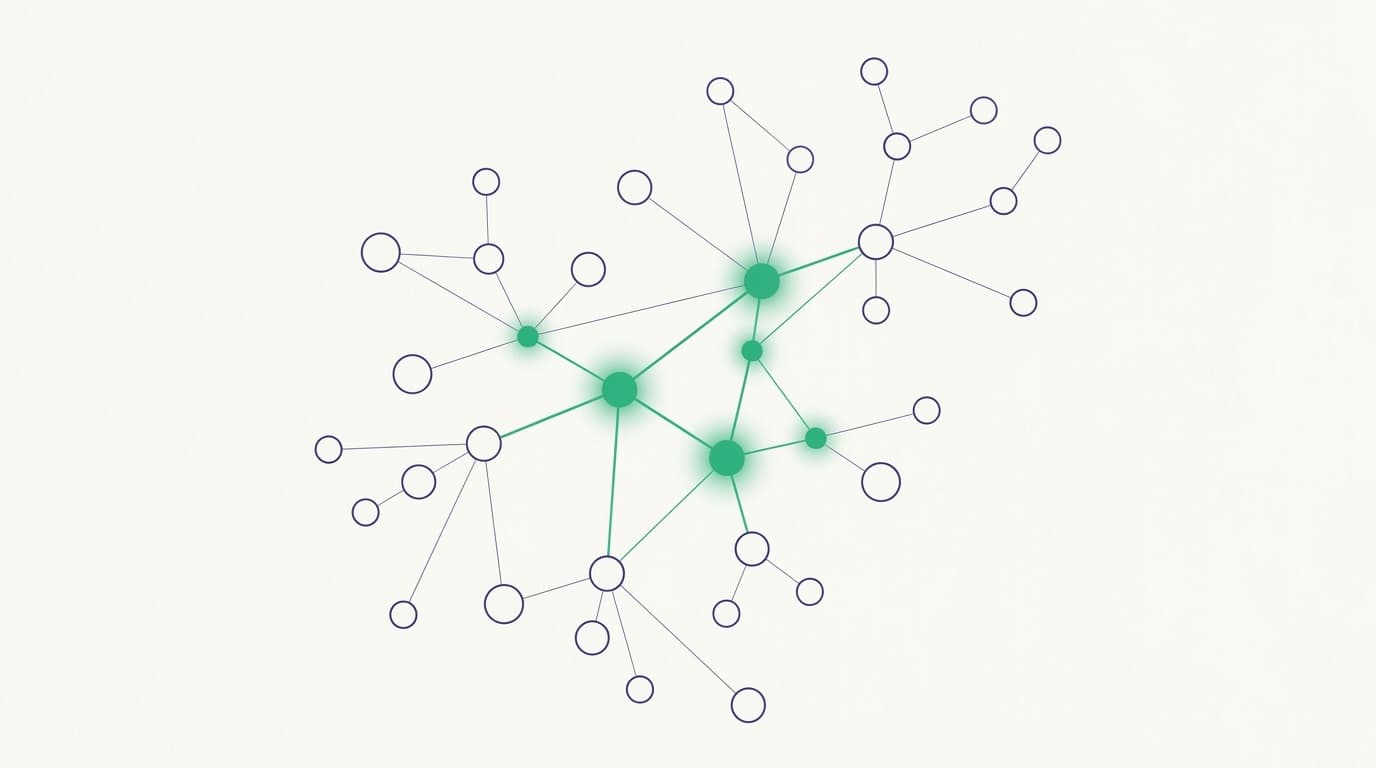
Keyword search finds papers that use your words. It misses the ones that matter but phrase things differently, and it cannot tell you which paper the whole field is built on. The Literature Finder pairs meaning-based search with two discovery tools that work by relationships instead of words: a citation map and citation-graph related papers, plus AI recommendations that flag which results are worth building your manuscript on. This guide is about finding the right sources, not just more of them.
The citation map: see the neighborhood
Select a paper in your results and open its citation map. Each dot is a paper, and a line joins two papers when one cites the other; filled dots are your primary results, and the ring shows how they cluster. Click a dot to light its neighborhood (the papers it connects to) and select that paper's card at the same time. Papers that everything else points at stand out visually, which is often the fastest way to spot the foundational work in an area you are new to.
Related papers: snowball by graph, not keyword
Alongside the map, the Related papers panel gives a ranked "more like this" list for the selected paper, drawn from the citation graph (what it cites and what cites it) combined with word overlap, up to twenty results. This is snowball searching made quick: start from one good paper and walk outward along real citation links to papers a keyword search would never surface. Each related row carries the same access badges and read actions as a search result, so you can pull a promising neighbor into your library on the spot.
Let the AI flag what to write with
Relevance tells you what is close to your query; it does not tell you what you would actually cite. The "Write with this" recommendation does. Judged from each paper's title and abstract against your project brief, it flags the results the AI predicts it would cite when drafting your manuscript (to frame the gap, anchor the methods, or serve as key evidence), each with a short reason explaining how it would use the paper. A filter narrows the list to just those picks.
Groundability tiers: can the AI actually use it?
A recommendation is only useful if the paper can be grounded, so each pick carries a tier that tells you exactly where it stands:
- Ready to cite: the full text is already in your corpus, so the AI can cite it now.
- Open access: a fetchable open-access PDF exists, so adding the paper fetches and embeds its full text.
- Needs PDF: paywalled. The AI would write with it, but you must supply the PDF before any citation can be grounded on it.
Reach past your results into the wider literature
The recommendations are not limited to the papers already on screen. Some picks come from the wider literature: papers the AI reached beyond your current result set, shown on their own cards marked "wider literature." Adding one fetches its full text where it is open access and mints it into your corpus, so it is searchable and citable from then on. This is how a single search quietly widens the net past whatever your query happened to return.
The honest limit: discovery, not grounding
One line to keep in mind: everything on this page is discovery, not proof. The AI recommendations are judged from titles and abstracts, so they are a smart pointer toward what to read and cite, not a grounded verdict; nothing becomes citable until its full text is held and checked. Citation maps and related papers depend on citation links being on record, so a very new or thinly cited paper may show no links yet until the graph catches up.
Treat these tools as the fastest way to find the right sources; the trust work happens afterward, when you read and verify them. For that next step, read "Reading papers with sentence-level provenance."